How to Add a DPDP Consent Banner to Shopify: Step-by-Step 2026 Guide
Step-by-step guide to installing a compliant DPDP Act consent banner on Shopify. Block trackers, configure Google Consent Mode v2, and support 22 languages.
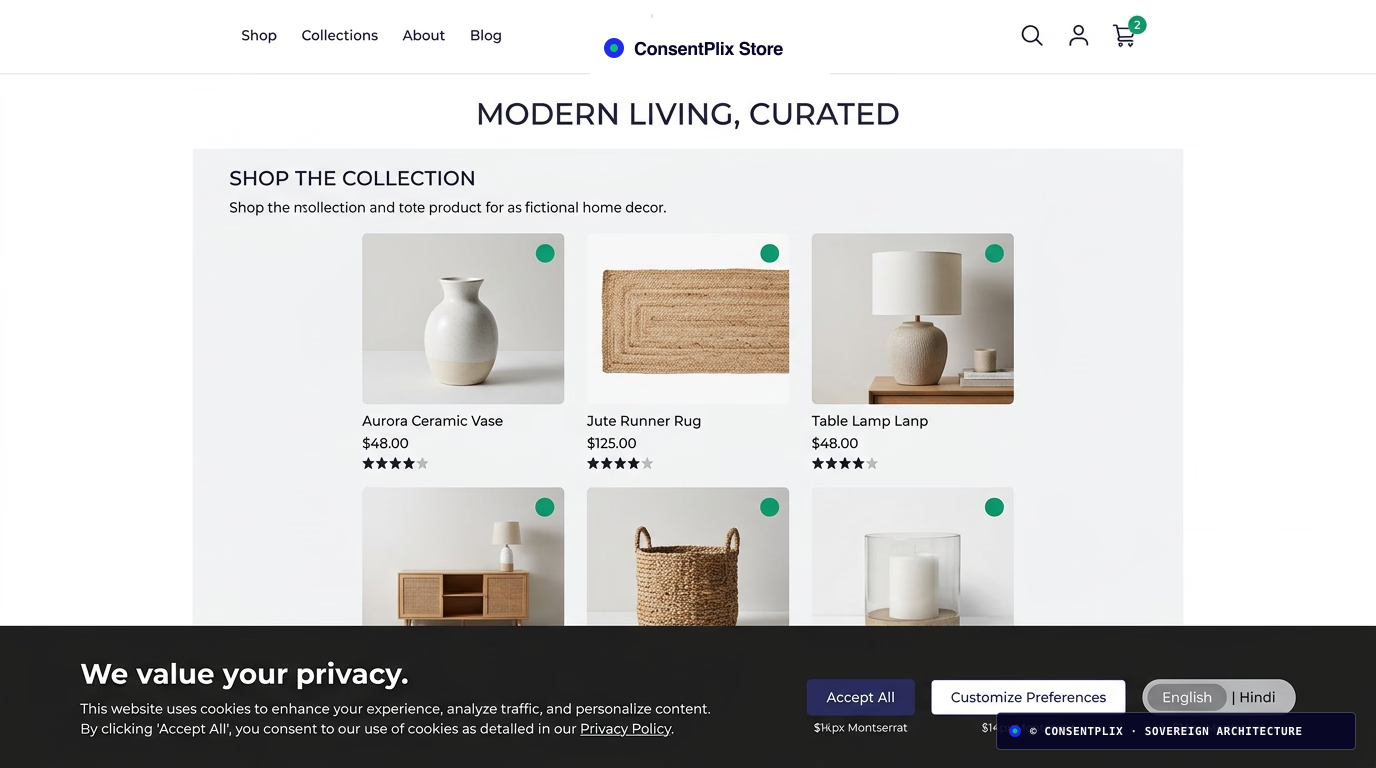
Complete step-by-step tutorial on implementing an Indian DPDP Act 2023 compliant consent banner on Shopify. Covers the legal mandate of Section 6(1) requiring prior affirmative consent before firing Google Ads, Meta Pixel, or analytics tags. Explains how to install ConsentPlix's sub-12KB autonomous SDK in theme.liquid, configure Google Consent Mode v2 with default denied states, deliver standalone multilingual notices in 22 Eighth Schedule Indian languages under Section 5(3), and ensure frictionless single-click consent withdrawal under Section 6(4). Demonstrates how to preserve marketing attribution and conversion modeling through cookieless pings while avoiding general penalties up to ₹50 crore under the Schedule.
Why Standard Shopify Cookie Banners Fail Under the DPDP Act
If you run a Shopify store in India, your store is almost certainly collecting personal data through checkout forms, customer accounts, and third-party tracking pixels.
Most Shopify store owners install a quick European GDPR cookie banner from the Shopify App Store, thinking that satisfies the law. However, under India’s Digital Personal Data Protection (DPDP) Act, 2023 and DPDP Rules, 2025, standard Shopify cookie banners create major legal liabilities:
- Failure of Prior Consent (Section 6(1)): Most Shopify cookie apps load Meta Pixel, Google Analytics 4, and TikTok tags before the customer interacts with the banner. As explained in our guide on why websites running ads need consent before tracking, firing trackers before affirmative consent is an explicit violation of Section 6(1).
- Missing 22 Regional Languages: Sections 5(3) and 6(3) require giving Indian consumers the option to access consent notices in English or any of the 22 languages listed in the Eighth Schedule (such as Hindi, Tamil, Telugu, Marathi, or Gujarati). Global Shopify apps only support English and European languages.
- Bloated App JavaScript Destroying Checkout Speed: Legacy consent apps add 80KB to 150KB of render-blocking JavaScript, damaging your Shopify storefront’s Core Web Vitals and Largest Contentful Paint (LCP).
- No Cryptographic Proof: Section 6(10) places the reverse burden of proof on your business if a customer raises a dispute with the Data Protection Board of India (DPBI). Storing a temporary browser cookie is legally indefensible.
Here is the exact step-by-step walkthrough to make your Shopify store 100% DPDP-compliant in under 10 minutes without breaking your ad attribution or slowing down checkout.
Step 1: Audit Your Shopify Trackers and Third-Party Pixels
Before installing any banner, you need an exact inventory of every tracking script executing in your Shopify theme and checkout funnel.
Common tracking scripts injected into Shopify stores include:
- Google Tag Manager & Google Analytics 4 (
gtag.js) - Meta Pixel & Facebook Conversions API (
fbevents.js) - Ad networks & retargeting tags (Google Ads remarketing, Criteo, Taboola)
- Customer behavior heatmaps (Hotjar, Microsoft Clarity, Lucky Orange)
- Review and live-chat apps (Klaviyo, Loox, WhatsApp chat widgets, Intercom)
You can run an automated script inventory in 60 seconds with our Free DPDP Website Scanner to see which tags fire before consent.
Step 2: Install the Lightweight ConsentPlix SDK in theme.liquid
ConsentPlix provides a dedicated, zero-dependency client script under 12KB that runs asynchronously in the browser idle microtask queue.
- In your Shopify Admin, navigate to Online Store → Themes.
- Click the three dots (
...) next to your active theme and select Edit code. - Under the Layout directory, open
theme.liquid. - Locate the opening
<head>tag. - Paste the ConsentPlix SDK snippet immediately after
<head>, ensuring it executes before any marketing tag:
<!-- ConsentPlix DPDP Autonomous Consent Engine (Sub-12KB) -->
<script
  src="https://cdn.consentplix.com/cp.min.js"
  data-site-token="YOUR_SHOPIFY_SITE_TOKEN"
  data-api-base="https://api.consentplix.com"
  async
></script>
Replace YOUR_SHOPIFY_SITE_TOKEN with the API token generated in your ConsentPlix dashboard.
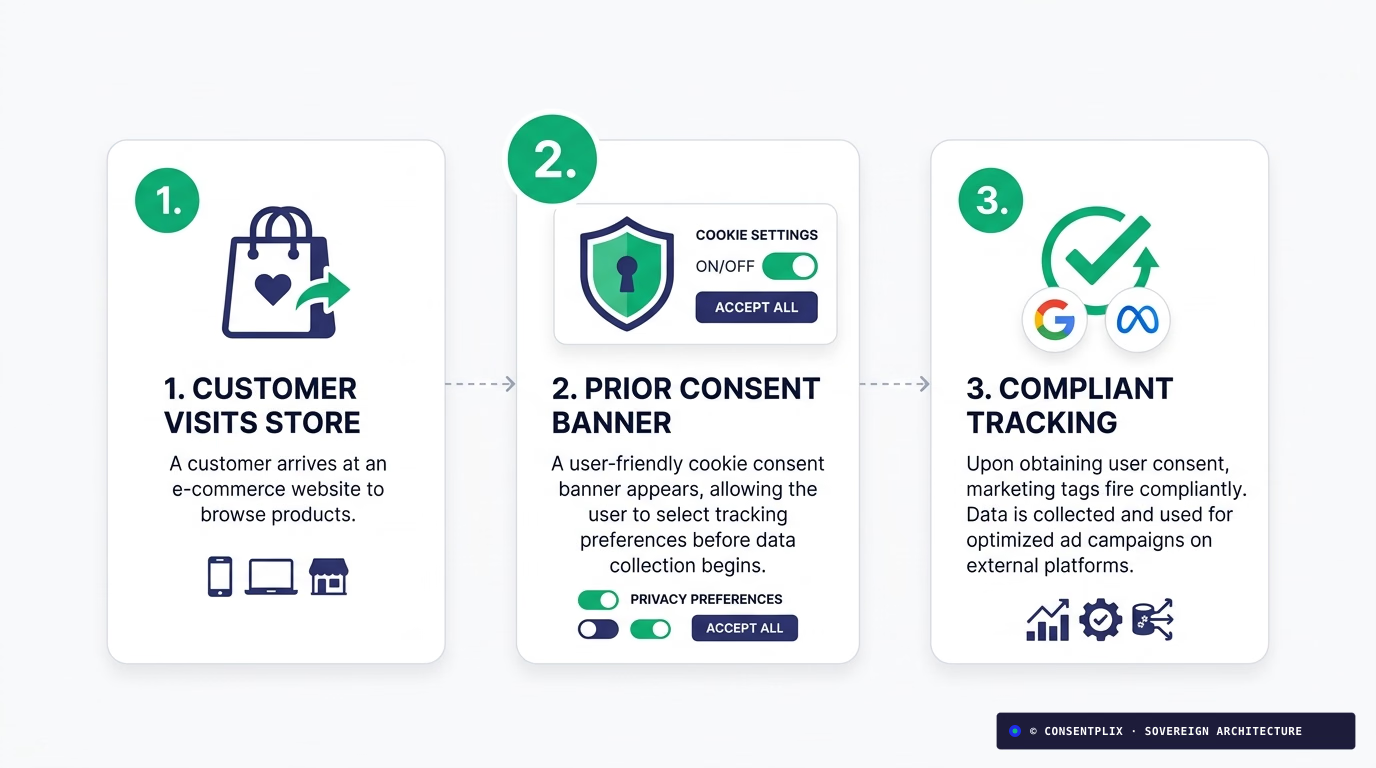
Step 3: Configure Google Consent Mode v2 for Shopify Ad Campaigns
One of the largest concerns for D2C brands spending on Meta and Google Ads is preserving ROAS and conversion tracking.
By integrating Google Consent Mode v2 (GCM v2), your Shopify store can maintain legal compliance while preserving conversion modeling. Place the following configuration directly above your Google Tag Manager or gtag.js script in theme.liquid:
<script>
  window.dataLayer = window.dataLayer || [];
  function gtag(){dataLayer.push(arguments);}

  // Establish strict DPDP default states before tags execute
  gtag('consent', 'default', {
    'ad_storage': 'denied',
    'analytics_storage': 'denied',
    'ad_user_data': 'denied',
    'ad_personalization': 'denied',
    'wait_for_update': 500
  });
</script>
How GCM v2 Works with ConsentPlix:
- When a customer lands on your store, Google tags fire in a cookieless state without reading or setting tracking identifiers.
- When the customer clicks Accept on the ConsentPlix banner, the SDK immediately fires
gtag('consent', 'update', { ... 'granted' }). - If the customer declines, Google uses cookieless conversion pings to model conversions through machine learning, ensuring you don’t lose performance metrics while remaining fully compliant with Section 6(1).
For deeper performance benchmarks, read our technical breakdown of the sub-12KB autonomous SDK and Google Consent Mode v2.
Step 4: Configure the 22 Indian Language Options and Standalone Notice
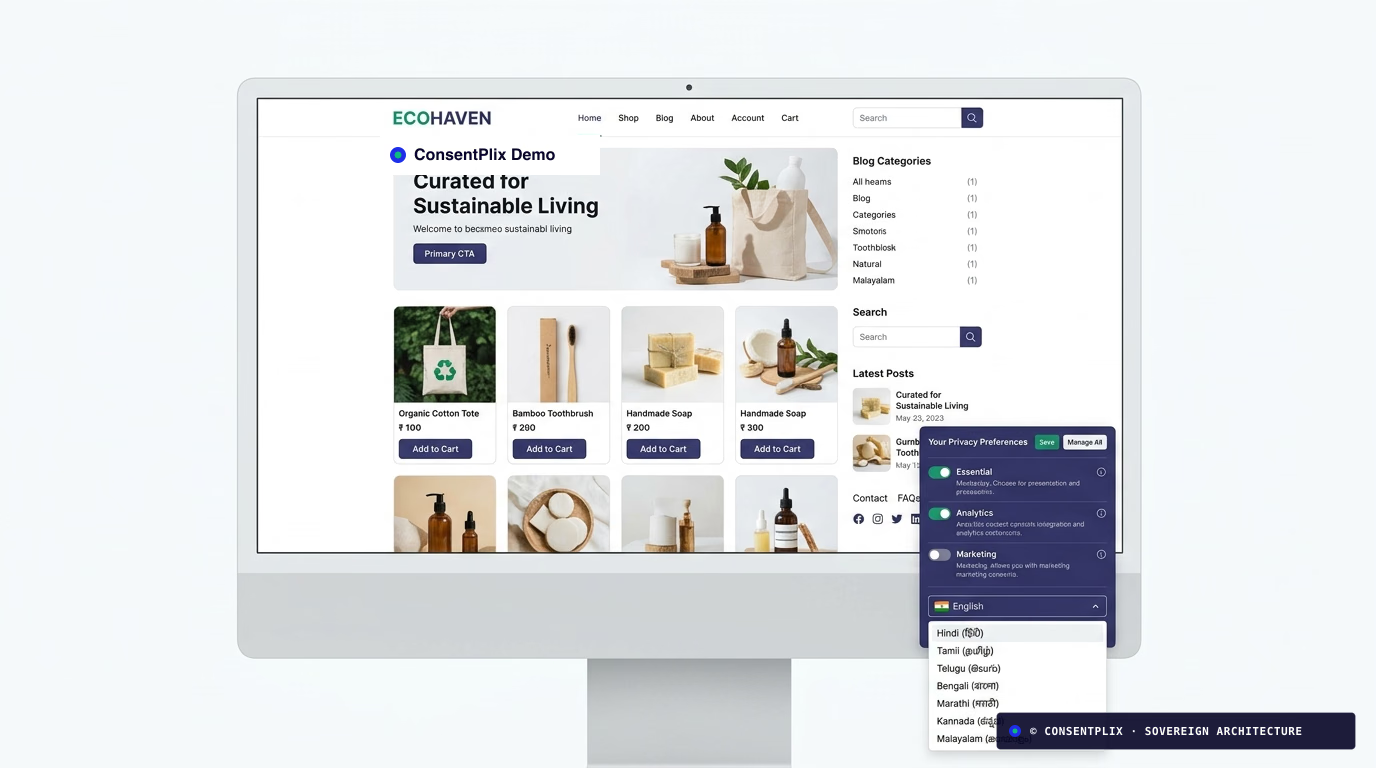
Under DPDP Act consent notice architecture, consent notices cannot be hidden inside your general Terms of Service or Privacy Policy. They must be standalone and accessible in Indian regional languages.
In your ConsentPlix Dashboard:
- Enable Auto-Locale Detection: Visitors accessing your store from Tamil Nadu, Maharashtra, Gujarat, West Bengal, or northern states are automatically presented with the language selector in their primary regional script.
- Configure your Grievance Redressal Officer (GRO) contact: Under Section 5(1), the notice must display your business’s designated privacy contact details.
- Verify Itemised Purpose Toggles: Under Section 6(1), customers must be able to choose:
- Essential Operations: Cart and checkout session tokens (always enabled).
- Analytics & Store Optimization: Product browsing flow metrics.
- Marketing & Retargeting: Google Ads, Meta Pixel, and personalized discounts.
Step 5: Implement Symmetrical Withdrawal in Your Shopify Footer
Under Section 6(4) of the Act, withdrawing consent must be as simple as granting it. You cannot force customers to email your support team or submit a contact ticket to revoke consent.
Add a simple preference trigger to your Shopify footer menu:
- In your Shopify Admin, go to Online Store → Navigation → Footer menu.
- Add a new menu item:
- Name:
Privacy Preferences - Link:
#cp-manage-consent
- Name:
- Save the menu.
Clicking this link reopens the ConsentPlix preference drawer instantly, allowing the customer to alter or revoke their consent choices with a single click.
Step 6: Verify Cryptographic Audit Receipts for Section 6(10)
Under Section 6(10), if a customer files an inquiry with the Data Protection Board claiming they never consented to retargeting cookies, the legal burden of proof is on you as the Data Fiduciary.
Every consent event on your Shopify store is hashed using HMAC-SHA256 and anchored into an append-only Merkle tree stored in AWS Mumbai (ap-south-1). Read our deep dive on cryptographic consent ledgers and Merkle roots to understand how these audit dossiers protect your business during regulatory scrutiny.
Summary Checklist for Shopify DPDP Compliance
- Audit all active pixels using the DPDP Website Scanner.
- Paste ConsentPlix SDK in
theme.liquidbefore any tracking tags. - Initialize Google Consent Mode v2 with default
'denied'parameters. - Activate 22 Eighth Schedule Indian language translations.
- Display your Grievance Redressal Officer email in the notice.
- Add
#cp-manage-consentto your Shopify footer menu for Section 6(4) compliance. - Verify tamper-evident receipts in the ConsentPlix dashboard.
To learn more about our tailored e-commerce setup, explore our Shopify DPDP solution page or check our best DPDP CMP comparison.
Amjad Rathod
Co-Founder & Chief ArchitectLead architect of the ConsentPlix consent ledger and sub-12KB client SDK. Works on DPDP Section 6 consent flows and high-throughput privacy engineering.
Continue exploring sovereign compliance engineering.
Ready to deploy provable consent infrastructure?
Deploy in minutes with our sub-12KB SDK or schedule a customized technical consultation with our privacy engineering team.