How to Make Your WordPress Site DPDP Compliant: Step-by-Step 2026 Guide
Learn how to make your WordPress and WooCommerce site DPDP Act compliant. Replace legacy GDPR plugins, block ad pixels, and setup 22 Indian languages.

Comprehensive step-by-step implementation guide for achieving full DPDP Act 2023 compliance on WordPress and WooCommerce sites. Explains why legacy European GDPR plugins fail Indian statutory standards, including missing Eighth Schedule 22-language options, lack of unbundled purpose itemisation under Section 6(1), and absence of verifiable cryptographic audit trails under Section 6(10). Covers script interception in wp_head, configuring Google Consent Mode v2, setting up a self-serve Data Principal Rights Portal for access, correction, and erasure under Sections 11 to 14, and deploying single-click withdrawal under Section 6(4). Demonstrates how web agencies and WordPress developers can protect client sites against statutory penalties up to ₹50 crore under the Schedule.
The Hidden Compliance Trap in WordPress Privacy Plugins
WordPress powers over 43% of the web, and in India, hundreds of thousands of agencies, businesses, and WooCommerce stores rely on it daily.
When Indian businesses look for privacy compliance on WordPress, the standard reaction is searching the plugin directory for “Cookie Banner” and installing an established plugin like CookieYes, Complianz, or GDPR Cookie Consent.
However, as highlighted in our breakdown of DPDP Act vs GDPR: 7 key statutory differences, standard European WordPress plugins leave Indian site owners legally exposed:
- No 22 Eighth Schedule Indian Languages: Sections 5(3) and 6(3) of the DPDP Act mandate giving users the option to access the notice and consent request in English or any of the 22 languages listed in the Eighth Schedule of the Constitution. European plugins only offer European translations.
- Missing Section 6 Purpose Itemisation: DPDP Section 6(1) requires consent to be specific and unbundled. A single “Accept All” or “Dismiss” button without individual toggles for analytics, marketing, and personalization violates the law.
- No Verifiable Audit Receipts: Relational WordPress database tables (
wp_optionsorwp_postmeta) fail the reverse burden of proof under Section 6(10) because database administrators can alter or erase rows. - No Automated Data Principal Rights Portal: Under Sections 11 to 14, visitors have legal rights to access, correct, and erase their personal data, and to lodge grievances with your Grievance Redressal Officer. Simple cookie plugins provide zero backend workflows for handling these statutory requests.
Here is the complete guide to making your WordPress and WooCommerce site audit-ready for India’s DPDP Act.
Step 1: Scan Your WordPress Site for Tracker Leaks
WordPress themes and plugins routinely inject tracking scripts through wp_head() and wp_footer() without the site owner even realizing it.
Common WordPress trackers include:
- WooCommerce Customer Tracking: Google Ads conversion tags, Meta Pixel, Pinterest tag.
- Form Plugins: Contact Form 7, WPForms, Gravity Forms, and Ninja Forms capturing IP addresses and form field inputs.
- Page Builders: Elementor, Divi, Beaver Builder, and Bricks loading external Google Fonts or telemetry.
- Analytics & Caching: MonsterInsights, Site Kit by Google, Hotjar, and Jetpack.
Run our Free DPDP Website Scanner on your WordPress URL to identify all scripts executing prior to consent.
Step 2: Install ConsentPlix on WordPress (Two Methods)
You can install ConsentPlix on WordPress in under three minutes using either our lightweight integration snippet or our WordPress helper.
Method A: Direct Header Insertion (Recommended for Performance)
Using direct header insertion guarantees that ConsentPlix executes first, enabling asynchronous script gating without slowing down your server:
- In your WordPress Admin, go to Appearance → Theme File Editor (or use a code snippets plugin like WPCode).
- Open your active child theme’s
header.php. - Directly below the opening
<head>tag, paste the ConsentPlix SDK snippet:
<!-- ConsentPlix DPDP Autonomous Engine (Sub-12KB) -->
<script
  src="https://cdn.consentplix.com/cp.min.js"
  data-site-token="YOUR_WORDPRESS_SITE_TOKEN"
  data-api-base="https://api.consentplix.com"
  async
></script>
Method B: Using functions.php
If you prefer managing scripts programmatically through your theme’s functions.php:
function enqueue_consentplix_dpdp_sdk() {
    ?>
    <script
      src="https://cdn.consentplix.com/cp.min.js"
      data-site-token="YOUR_WORDPRESS_SITE_TOKEN"
      data-api-base="https://api.consentplix.com"
      async
    ></script>
    <?php
}
add_action('wp_head', 'enqueue_consentplix_dpdp_sdk', 1);
Setting priority to 1 ensures the SDK initializes before any third-party marketing tags injected by plugins or Google Site Kit.
Step 3: Implement Prior Consent Script Blocking & GCM v2
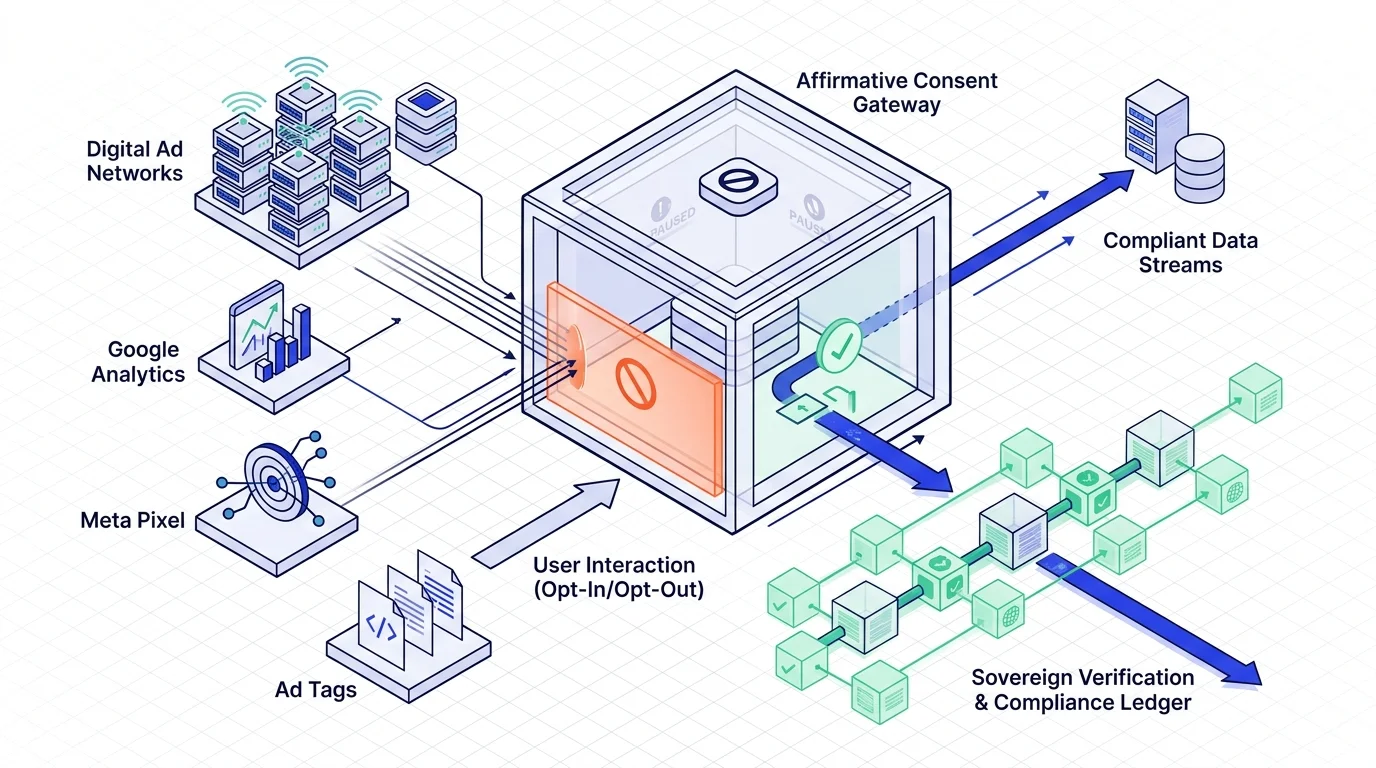
Under Section 6(1), no marketing pixel or analytics tag may execute until the visitor has taken an explicit affirmative action. Firing tags automatically upon page load violates Indian law (see our deep dive on why websites running ads need consent before tracking).
To protect your marketing campaigns while complying with DPDP, configure Google Consent Mode v2:
window.dataLayer = window.dataLayer || [];
function gtag(){dataLayer.push(arguments);}

// Establish DPDP-compliant default state before tags load
gtag('consent', 'default', {
  'ad_storage': 'denied',
  'analytics_storage': 'denied',
  'ad_user_data': 'denied',
  'ad_personalization': 'denied',
  'wait_for_update': 500
});
ConsentPlix intercepts downstream scripts and dispatches the update signal as soon as the visitor interacts with the banner. Read our engineering report on the sub-12KB autonomous SDK and Google Consent Mode v2.
Step 4: Host a Self-Serve Data Principal Rights Portal
One of the largest gaps in standard WordPress privacy setups is the absence of an automated mechanism for handling user rights requests under Sections 11 to 14 of the Act:
- Section 11: Right to access information about personal data.
- Section 12: Right to correction and erasure.
- Section 13: Right of grievance redressal with designated response timelines.
- Section 14: Right to nominate an individual in the event of death or incapacity.
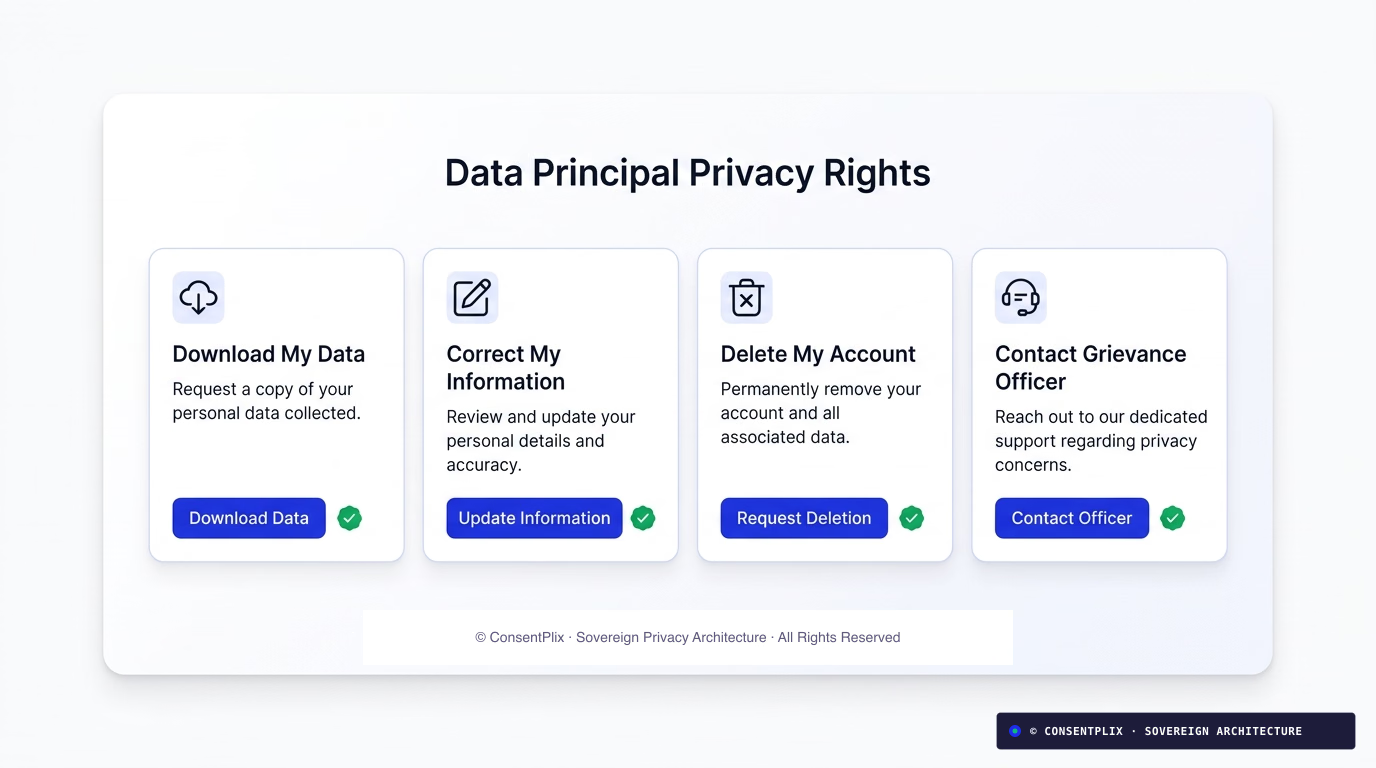
ConsentPlix includes a hosted, embeddable Rights Portal that you can integrate directly into your WordPress site:
- Create a new WordPress page titled Privacy Rights & Grievance Redressal at
/privacy-requests. - Insert the ConsentPlix Rights Portal embed shortcode or iframe provided in your dashboard.
- Link to this page directly from your WordPress footer navigation.
When a customer or registered user submits an access or erasure request, ConsentPlix logs the inquiry, verifies the Data Principal’s identity, and tracks the statutory resolution window automatically.
Step 5: Implement Symmetrical Withdrawal in Your Footer
Under Section 6(4) of the DPDP Act, the ease of withdrawing consent must equal the ease of granting it. If a user granted consent with one click on the banner, they must be able to revoke or adjust their choices with one click from any page on your site.
In your WordPress Admin:
- Navigate to Appearance → Menus.
- Select your Footer Menu.
- Add a Custom Link:
- URL:
#cp-manage-consent - Link Text:
Consent Preferences
- URL:
- Save the menu.
Clicking this link instantly brings up the preference drawer, allowing visitors to modify purpose permissions or withdraw consent unconditionally.
Step 6: Verify Cryptographic Merkle Proofs for Regulatory Audits
Under Section 6(10), if a visitor complains to the Data Protection Board of India (DPBI) or during an ISO 27701 audit, the Data Fiduciary bears the legal burden of proof.
Ordinary WordPress database entries are mutable and easily questioned during legal proceedings. ConsentPlix hashes every consent decision into an HMAC-SHA256 signed event anchored into an append-only Merkle tree stored in AWS Mumbai (ap-south-1). Read our technical guide on cryptographic consent ledgers and Merkle roots to inspect how inclusion proofs work.
WordPress DPDP Compliance Checklist
| Statutory Requirement | Traditional WP Plugins | ConsentPlix on WordPress |
|---|---|---|
| 22 Eighth Schedule Indian Languages | No (EU languages only) | Native built-in selector |
| Section 6(1) Pre-Consent Script Blocking | Partial / Manual | Automated asynchronous gating |
| Section 6(10) Burden of Proof | MySQL row in wp_options | Tamper-evident Merkle receipts |
| Sections 11–14 Rights & Grievance Portal | None | Hosted self-serve rights portal |
| Google Consent Mode v2 Integration | Complex add-on | Native zero-config support |
| Script Weight & Performance Impact | 60KB–140KB (heavy) | Sub-12KB (zero dependencies) |
Getting Your WordPress Site Ready
You don’t need to rebuild your WordPress theme or spend weeks writing custom JavaScript:
- Small sites and bloggers: Can get started for free on our Free Forever Plan.
- Growing businesses and WooCommerce stores: Start on our ₹399/month tier for full 22-language translation and custom branding.
- Web agencies managing multiple client sites: Explore our agency solutions for multi-tenant workspace management.
For more technical details, check our dedicated WordPress DPDP Solution Guide or explore our best DPDP CMP comparison.
Amjad Rathod
Co-Founder & Chief ArchitectLead architect of the ConsentPlix consent ledger and sub-12KB client SDK. Works on DPDP Section 6 consent flows and high-throughput privacy engineering.
Continue exploring sovereign compliance engineering.
Ready to deploy provable consent infrastructure?
Deploy in minutes with our sub-12KB SDK or schedule a customized technical consultation with our privacy engineering team.